
Home Entertainment on a Sensible Budget: A Complete Family Guide
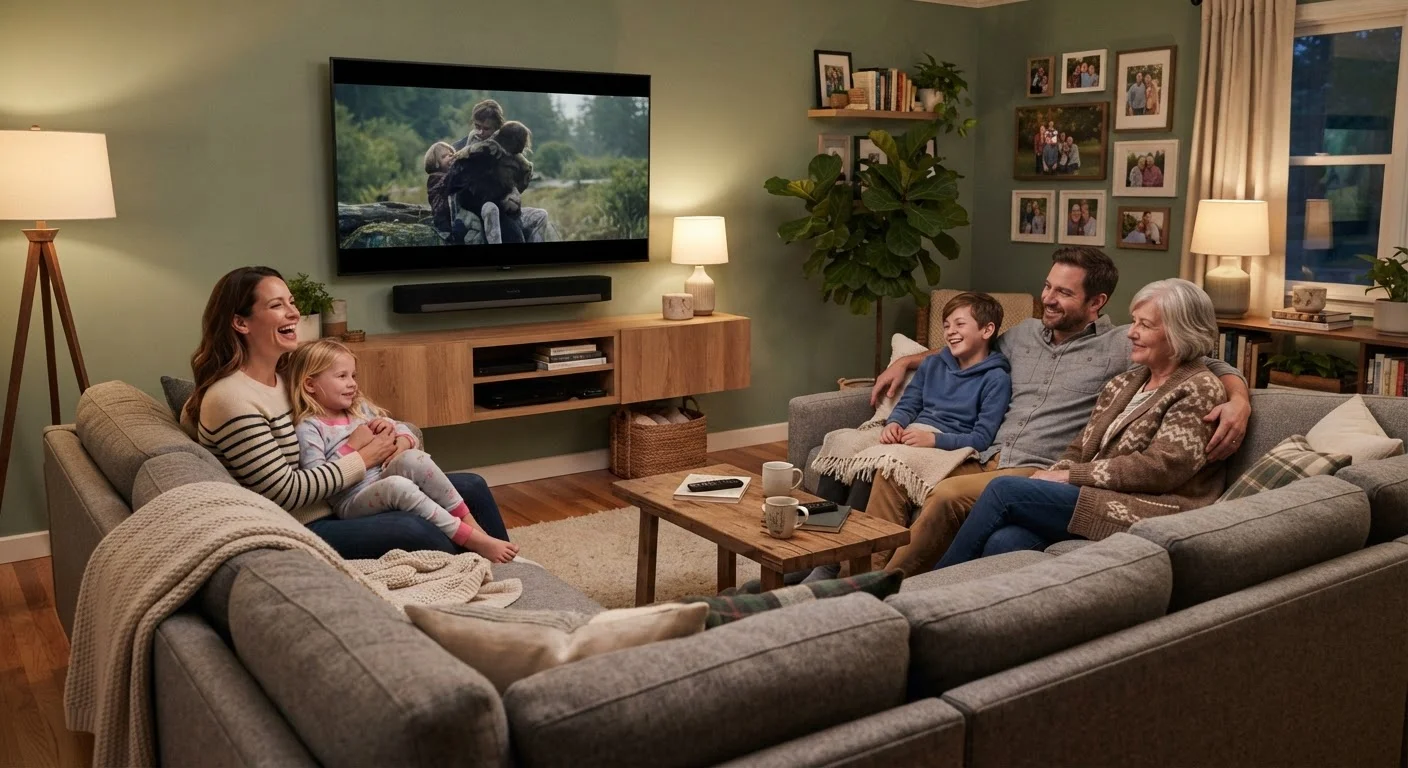
Photo credit: seeksmartgrowth.com
In this article
- How to think about your family's entertainment needs
- Choosing a display: screen size, resolution, and panel type
- Audio: why it matters more than most families expect
- Streaming devices and smart TV platforms
- Connecting everything: HDMI, Wi-Fi, and bandwidth
- Making your setup last and getting more from what you own
Everything families need to understand about building a capable home entertainment setup, from displays and audio to streaming and smart devices.
Key Takeaways
- Screen size and viewing distance matter more to picture quality than chasing the highest resolution tier.
- TV speakers are a common weak point; even a modest soundbar delivers a noticeable improvement.
- A dedicated streaming device often performs better and gets longer software support than a built-in smart TV platform.
- Your home network is part of your entertainment system; slow or spotty Wi-Fi undermines every streaming device you own.
- Knowing basic specs prevents overpaying for features your household will not use.
How to think about your family's entertainment needs
Before buying anything, map out how your household actually uses entertainment. A family with young children who watch animated content on a mid-size screen has different priorities than one where teenagers game on a large display every evening. Spending time on that question saves money and avoids regret.
Three variables shape every purchasing decision: the room the gear will live in, the people who will use it, and the content they consume. A bright living room with windows calls for a display with high peak brightness. A dedicated media room can get by with a dimmer panel that trades brightness for deeper blacks. If multiple people share the space at different times, ease of use across age groups matters as much as raw performance.
If any of this terminology is unfamiliar, the consumer electronics glossary covers the most common specs in plain language before you start comparing products.
Choosing a display: screen size, resolution, and panel type
Screen size should match viewing distance. A widely cited rule of thumb from display engineers is to sit roughly 1.5 to 2.5 times the screen's diagonal measurement away from the TV. At a standard living-room distance of 8 to 10 feet, a 55-inch to 65-inch screen is a practical range for most families.
Resolution matters, but with a ceiling. At normal seating distances, the human eye cannot fully resolve the difference between 4K and 1080p on screens below about 50 inches. Paying a premium for 8K content is rarely justified today because 8K source material is almost nonexistent for home consumers.
Panel technology affects how a TV handles light and color. OLED panels produce deep blacks and wide viewing angles but carry higher prices and, in some use cases, a small risk of image retention with static content. LCD panels with LED backlighting are more affordable and handle bright rooms better; QLED is a marketing term for LCD panels using quantum dot film to expand color range. Neither panel type is universally better; the right choice depends on your room and budget.
When sizing a TV, measure your actual seating distance first, then work backward to the screen size. Retailers display TVs at close range in bright showrooms, which makes every size look smaller than it will in your home.
Overestimating screen size is a common and costly mistake; a TV that dominates a room causes eye strain and looks out of proportion with the space.
Check whether a soundbar supports HDMI ARC or eARC before purchasing. This single connection handles both audio and control signals, which means your TV remote can adjust soundbar volume without a separate remote or app.
Families consistently report that complicated remote setups reduce how often audio gear gets used; simpler control leads to better day-to-day experience.
Audio: why it matters more than most families expect
Manufacturers thin TV cabinets to reduce weight and improve aesthetics, which leaves little room for speakers. The result is that even expensive TVs often produce tinny, flat sound. Dialogue clarity suffers most, which is frustrating during movies or when family members have different hearing sensitivities.
A soundbar is the most practical upgrade for most households. A two-channel (stereo) soundbar connected via HDMI ARC or optical cable costs far less than a full surround system and produces a meaningful improvement over built-in TV audio. Families who want more immersive sound can add a wireless subwoofer later, since most soundbars in the mid-range support one.
Full 5.1 or Dolby Atmos surround setups are worth considering if you have a dedicated room and the budget, but they require cable routing or wireless rear speakers and more configuration time. For shared family spaces, a soundbar with a subwoofer handles most listening situations well.
Streaming devices and smart TV platforms
Most modern TVs include a built-in smart platform, but that platform may not receive software updates for as long as a dedicated external device. Manufacturers have varying track records on update support, and an outdated smart TV platform can become sluggish or lose access to newer app versions within a few years.
A dedicated streaming stick or box plugged into any HDMI port sidesteps that problem. It runs its own operating system, receives its own updates independently of the TV, and can move to a different display if you upgrade. The cost is modest relative to the flexibility it adds.
When comparing streaming platforms, the practical differences are interface design, voice assistant integration, and which services each supports. All major platforms support the largest streaming services, so this is often a matter of which interface your family finds easiest to navigate.
Connecting everything: HDMI, Wi-Fi, and bandwidth
The cables and network behind your setup determine whether expensive hardware performs as intended. HDMI 2.1 supports higher bandwidth than the older 2.0 standard, which matters if you plan to pass 4K at high frame rates from a game console. For standard 4K streaming, HDMI 2.0 is sufficient.
Wi-Fi is the layer families most often underestimate. 4K streaming at high quality requires roughly 25 Mbps per stream, according to figures published by major streaming services. A household with multiple simultaneous streams, video calls, and connected devices can put real pressure on a router that was adequate a few years ago.
For a detailed walkthrough on setting up a network that handles all of this without dropouts, the family Wi-Fi setup guide covers router placement, band selection, and bandwidth planning.
Making your setup last and getting more from what you own
Electronics depreciate, but consistent care extends useful life and delays costly replacements. Display panels benefit from adjusted brightness settings; running a screen at maximum brightness continuously accelerates wear on backlights. Power surge protectors protect against voltage spikes that can shorten component life silently over time.
Many devices already have useful capabilities families never activate. Picture calibration modes, night sound settings, and parental control features are built into most TVs but rarely configured out of the box. The guide to overlooked device features covers what is already available before you consider adding anything new.
For broader habits that reduce replacement costs across all household electronics, extending the life of family devices covers practical routines for phones, tablets, and TVs alike.

Author
Electronics Editorial Team
Electronics Editorial Team is the collective byline for our editorial team and contributor network. Articles published under this byline or an editorial pen name are researched, written, and reviewed according to our editorial standards for clarity, consistency, and independence before publication.
View all articles →