
Smart Speaker Privacy: What Families Should Understand Before Plugging In
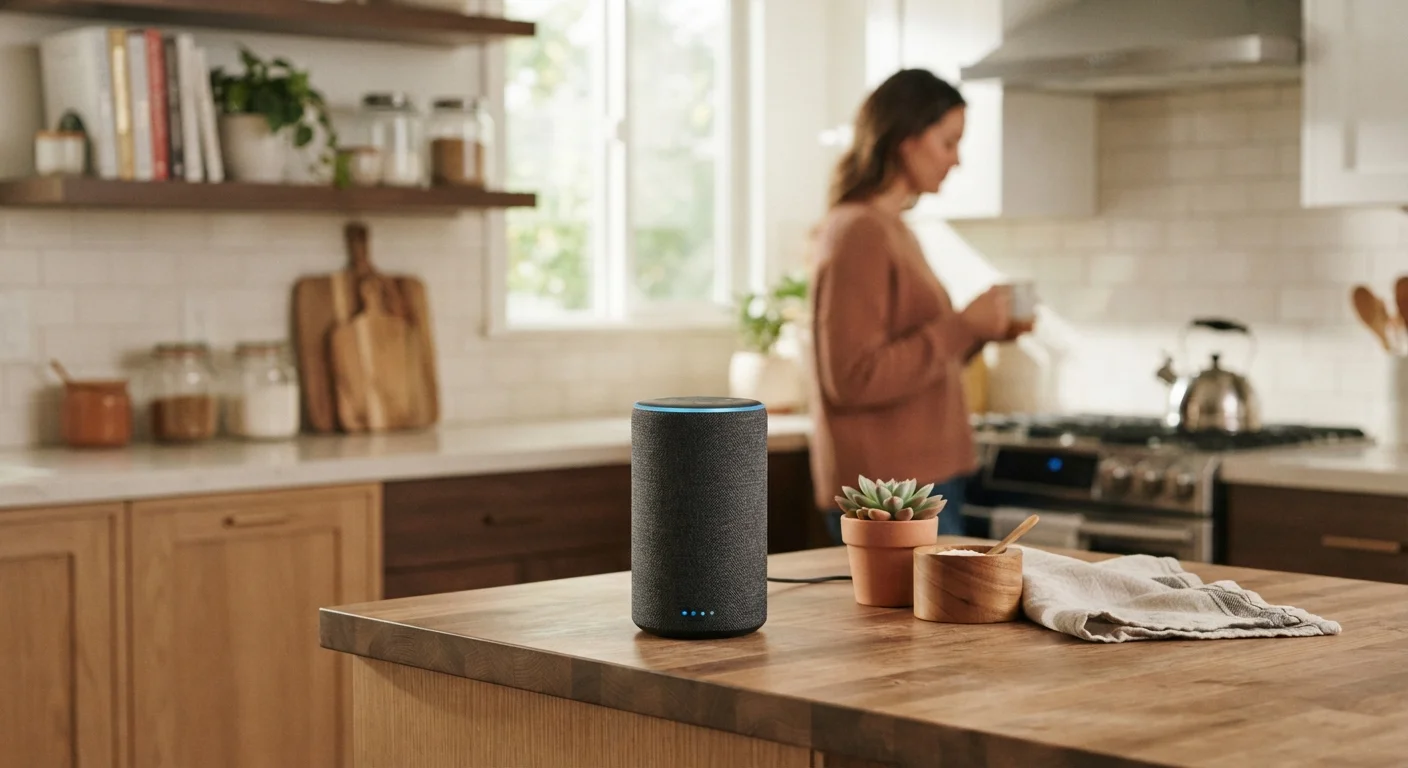
Photo credit: seeksmartgrowth.com
In this article
Smart speakers are convenient, but they raise real privacy questions. Here is what families should know about data, microphones, and settings.
Key Takeaways
- Smart speakers use always-on microphones that listen for a wake word before recording.
- Voice recordings are typically stored on company servers and can be reviewed by employees under some policies.
- Most platforms let users delete voice history and limit data sharing through privacy settings.
- Children in the home deserve specific consideration, as some data practices differ for minors.
- Muting the microphone physically is the most reliable way to pause audio capture at any moment.
Hands-free convenience for everyday household tasks
Setting timers, checking weather, and playing music without picking up a phone saves small but real amounts of time across a busy family day.
Voice control helps members with mobility limitations
For anyone who has difficulty using touchscreens or keyboards, a smart speaker provides a low-effort way to access information and control connected devices.
Integrates with smart home devices
Many smart speakers can control lights, thermostats, and locks, giving families a central voice interface for compatible home automation systems they already own.
Privacy settings give families meaningful control
Most platforms let users delete voice history, disable recording storage, and opt out of human audio review through companion apps, provided those settings are actively configured.
Always-on microphone can capture unintended audio
False wake-word triggers send short audio clips to company servers without the user initiating a command, creating an unpredictable record of household sound.
Voice recordings stored by default on remote servers
Unless a user actively changes settings, voice clips accumulate in their account and may be reviewed by company employees or contractors for product improvement purposes.
Children's data requires active configuration to protect
Child-safe modes exist on major platforms but must be deliberately enabled; they are not the default state, and families with young children may not realize this distinction.
Data collection builds a detailed household usage profile
Interaction logs, smart home commands, and usage patterns combine into a persistent record of daily routines that goes beyond simple voice clips.
Privacy policies can change without prominent notification
Terms governing data retention and sharing are set by the manufacturer and can be updated; families who reviewed them at purchase may be working from outdated information.
How smart speakers actually work
A smart speaker has a microphone array running continuously, waiting for a specific wake word such as "Hey" followed by the device name. When the device detects that phrase, it begins recording and sends the audio clip to a remote server where the request is processed. The response comes back in under a second, which is why the interaction feels seamless.
The word "always-on" causes concern, but it is worth being precise: the device is always listening for the wake word locally, not always transmitting audio to the cloud. Transmission begins only after the wake word triggers. That said, mishearing ambient speech as a wake word does happen. When it does, a short unintended clip gets sent to the server, logged, and sometimes reviewed.
For definitions of related terms like cloud storage and wireless protocols, the Consumer Electronics Glossary has plain-language explanations for families who want a reference.
What data is collected and where it goes
Each wake-word activation creates a voice clip tied to your account. Most major platforms store these clips by default to improve speech recognition accuracy. The clips sit on company servers, and company policies generally permit a subset of employees or contractors to listen to a sample of recordings for quality review. Users must usually opt out of this practice rather than opt in.
Beyond voice clips, smart speakers may collect device interaction logs, smart home commands, shopping history if you use voice purchasing, and general usage patterns. This data informs the personalization features families find useful, but it also builds a detailed profile of household routines.
Over 35%
U.S. adults who own a smart speaker
Pew Research Center surveys have consistently found smart speaker ownership in U.S. households rising throughout the early 2020s, with penetration particularly concentrated in homes with children.
1 in 4
False activations per day reported by some users
Independent testing published by consumer and academic researchers has documented that smart speakers can trigger on ambient speech multiple times daily in active households.
Privacy policies change, so checking the current data retention and sharing terms for whichever platform a family uses is worth doing at setup and periodically afterward.
Advantages of smart speakers for families
Hands-free convenience for everyday household tasks
Setting timers, checking weather, and playing music without picking up a phone saves small but real amounts of time across a busy family day.
Voice control helps members with mobility limitations
For anyone who has difficulty using touchscreens or keyboards, a smart speaker provides a low-effort way to access information and control connected devices.
Integrates with smart home devices
Many smart speakers can control lights, thermostats, and locks, giving families a central voice interface for compatible home automation systems they already own.
Privacy settings give families meaningful control
Most platforms let users delete voice history, disable recording storage, and opt out of human audio review through companion apps, provided those settings are actively configured.
The convenience argument is genuine. Hands-free timers while cooking, quick weather checks, and music playback without unlocking a phone are small but real time-savers that accumulate across a household. For family members with mobility limitations, voice control can matter quite a bit more than that.
Home automation integration is another area where smart speakers add measurable value. Controlling lights, thermostats, and door locks by voice reduces friction, and for families already invested in compatible smart home devices, a speaker can tie those systems together without added hardware. See the home entertainment family guide for context on how smart speakers fit into a broader home setup.
Privacy concerns families should weigh
Always-on microphone can capture unintended audio
False wake-word triggers send short audio clips to company servers without the user initiating a command, creating an unpredictable record of household sound.
Voice recordings stored by default on remote servers
Unless a user actively changes settings, voice clips accumulate in their account and may be reviewed by company employees or contractors for product improvement purposes.
Children's data requires active configuration to protect
Child-safe modes exist on major platforms but must be deliberately enabled; they are not the default state, and families with young children may not realize this distinction.
Data collection builds a detailed household usage profile
Interaction logs, smart home commands, and usage patterns combine into a persistent record of daily routines that goes beyond simple voice clips.
Privacy policies can change without prominent notification
Terms governing data retention and sharing are set by the manufacturer and can be updated; families who reviewed them at purchase may be working from outdated information.
The microphone placement matters. A speaker in a bedroom or near a child's play area collects audio in spaces where families have strong expectations of privacy. A speaker in a common area like a kitchen or living room is a more defensible placement if privacy is a concern.
Children's privacy warrants separate attention. In the U.S., the Children's Online Privacy Protection Act (COPPA) restricts data collection on children under 13, and major platforms have child-oriented modes with additional restrictions. However, these modes must be actively enabled, and ambient use by adults in the same room still generates data from any conversation the device overhears after a false wake-word trigger.
Families who want broader context on managing children's digital exposure can review parental controls across devices and platforms for a practical starting point.
What COPPA actually covers
The Children's Online Privacy Protection Act applies to operators of websites and online services directed to children under 13, and to general-audience services that knowingly collect data from children. Smart speaker platforms fall under its scope when a child account or child-directed feature is in use. COPPA requires verifiable parental consent before collecting personal information from a child. If your household includes children under 13, enabling the designated child mode on the device is the step that activates these additional protections.
Settings worth adjusting before you start using a smart speaker
Most platforms surface privacy controls through a companion smartphone app. The settings below are worth checking on any device before routine household use begins.
- Turn off the option to save voice recordings, or set them to auto-delete on a short schedule (three or six months).
- Opt out of human review of voice samples if that option appears in the privacy settings.
- Disable voice purchasing, or add a PIN requirement, to prevent accidental or unauthorized orders.
- Review which third-party skills or apps have been granted access to the device and remove any you no longer use.
- Confirm that the child-safe mode is enabled if children regularly interact with the device.
The physical mute button, present on most smart speakers, cuts power to the microphone at the hardware level. It is the most reliable way to guarantee no audio is captured during sensitive conversations, short of unplugging the device entirely.
Many of these controls are features families already have on their devices but have not explored. The overlooked device features guide covers similar hidden controls across phones and other household electronics.

Author
Electronics Editorial Team
Electronics Editorial Team is the collective byline for our editorial team and contributor network. Articles published under this byline or an editorial pen name are researched, written, and reviewed according to our editorial standards for clarity, consistency, and independence before publication.
View all articles →